> ## Documentation Index
> Fetch the complete documentation index at: https://docs.opendot.ai/llms.txt
> Use this file to discover all available pages before exploring further.
# Settings
> Manage workspace preferences and prototype SDK keys.
Settings holds user-level preferences and prototype SDK keys for OpenDot. In the database, profile state is split across `app_users` and `user_preferences` so Supabase Auth can provide identity without owning OpenDot product data.
 ## What you see in the UI
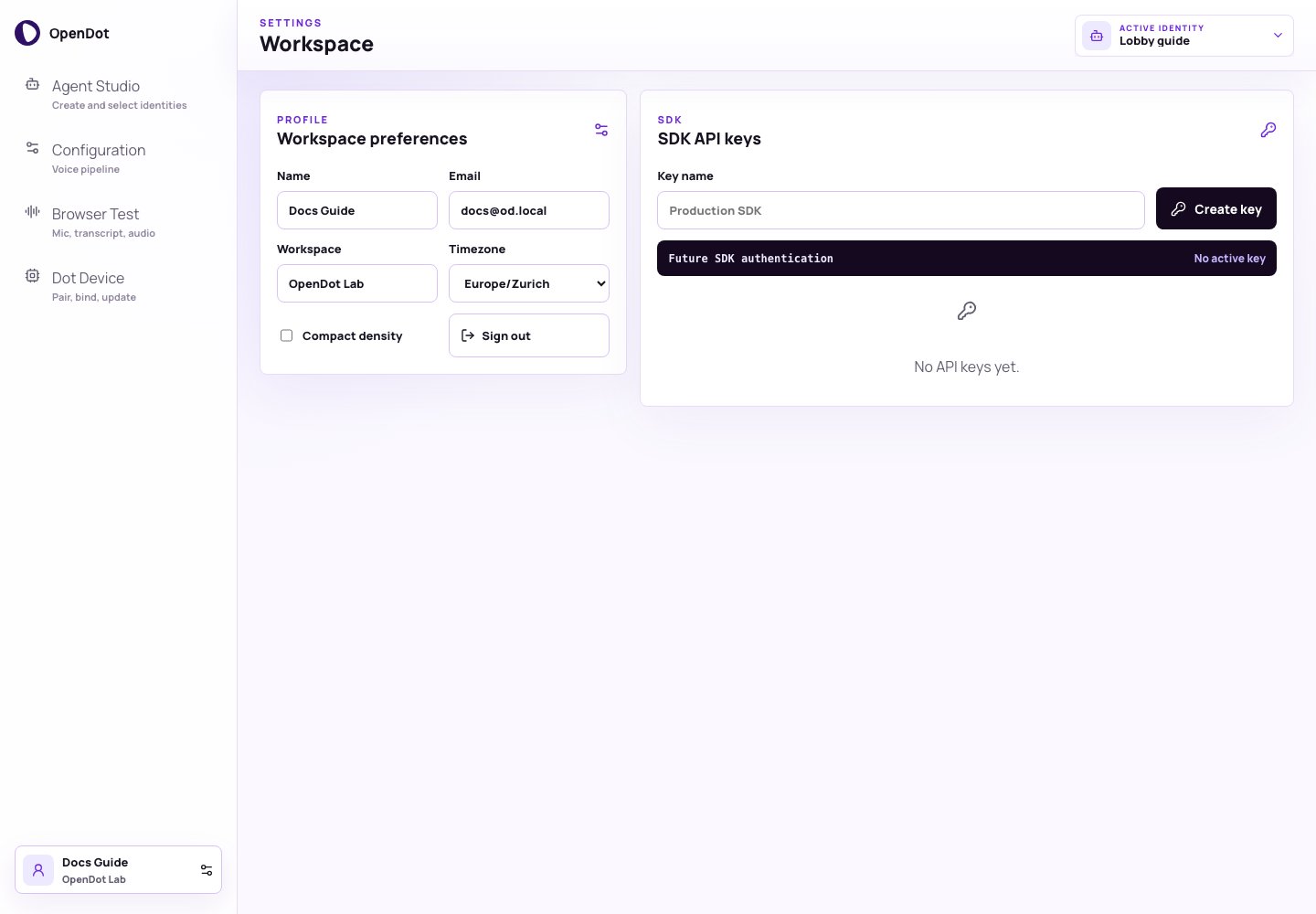
Settings has two panels:
* **Workspace preferences**: user profile and console density.
* **SDK API keys**: prototype keys for future external SDK/API access.
The sticky page header still shows the active agent identity selector, but
Settings changes only workspace preferences and SDK key metadata.
## Workspace preferences
The profile panel stores:
* **Name**
* **Email**
* **Workspace**
* **Timezone**
* **Compact density**
Compact density tightens page spacing and panel padding across the platform console.
## API keys
Use **SDK API keys** to create and revoke local prototype keys for future external SDK/API access. These keys are not used for browser `/voice` sessions or device pairing.
The current prototype stores user-scoped API key hashes and metadata in PostgreSQL. The full token is only shown when a key is created. Runtime browser sessions use short-lived voice-session or realtime browser-session tokens, and Dot devices use separate opaque device credentials.
## Copy and revoke
Each key row supports:
* **Copy**: copies the full token to the clipboard.
* **Revoke**: marks the key as revoked and disables copy.
Revoked keys remain visible so you can see when they were created and confirm they are no longer active.
## What Settings does not control
Settings keys are separate from browser voice-session tokens, realtime
browser-session tokens, and Dot device credentials. Browser Test uses
short-lived runtime session tokens, and Dot devices use opaque device
credentials created during activation.
## What you see in the UI
Settings has two panels:
* **Workspace preferences**: user profile and console density.
* **SDK API keys**: prototype keys for future external SDK/API access.
The sticky page header still shows the active agent identity selector, but
Settings changes only workspace preferences and SDK key metadata.
## Workspace preferences
The profile panel stores:
* **Name**
* **Email**
* **Workspace**
* **Timezone**
* **Compact density**
Compact density tightens page spacing and panel padding across the platform console.
## API keys
Use **SDK API keys** to create and revoke local prototype keys for future external SDK/API access. These keys are not used for browser `/voice` sessions or device pairing.
The current prototype stores user-scoped API key hashes and metadata in PostgreSQL. The full token is only shown when a key is created. Runtime browser sessions use short-lived voice-session or realtime browser-session tokens, and Dot devices use separate opaque device credentials.
## Copy and revoke
Each key row supports:
* **Copy**: copies the full token to the clipboard.
* **Revoke**: marks the key as revoked and disables copy.
Revoked keys remain visible so you can see when they were created and confirm they are no longer active.
## What Settings does not control
Settings keys are separate from browser voice-session tokens, realtime
browser-session tokens, and Dot device credentials. Browser Test uses
short-lived runtime session tokens, and Dot devices use opaque device
credentials created during activation.