

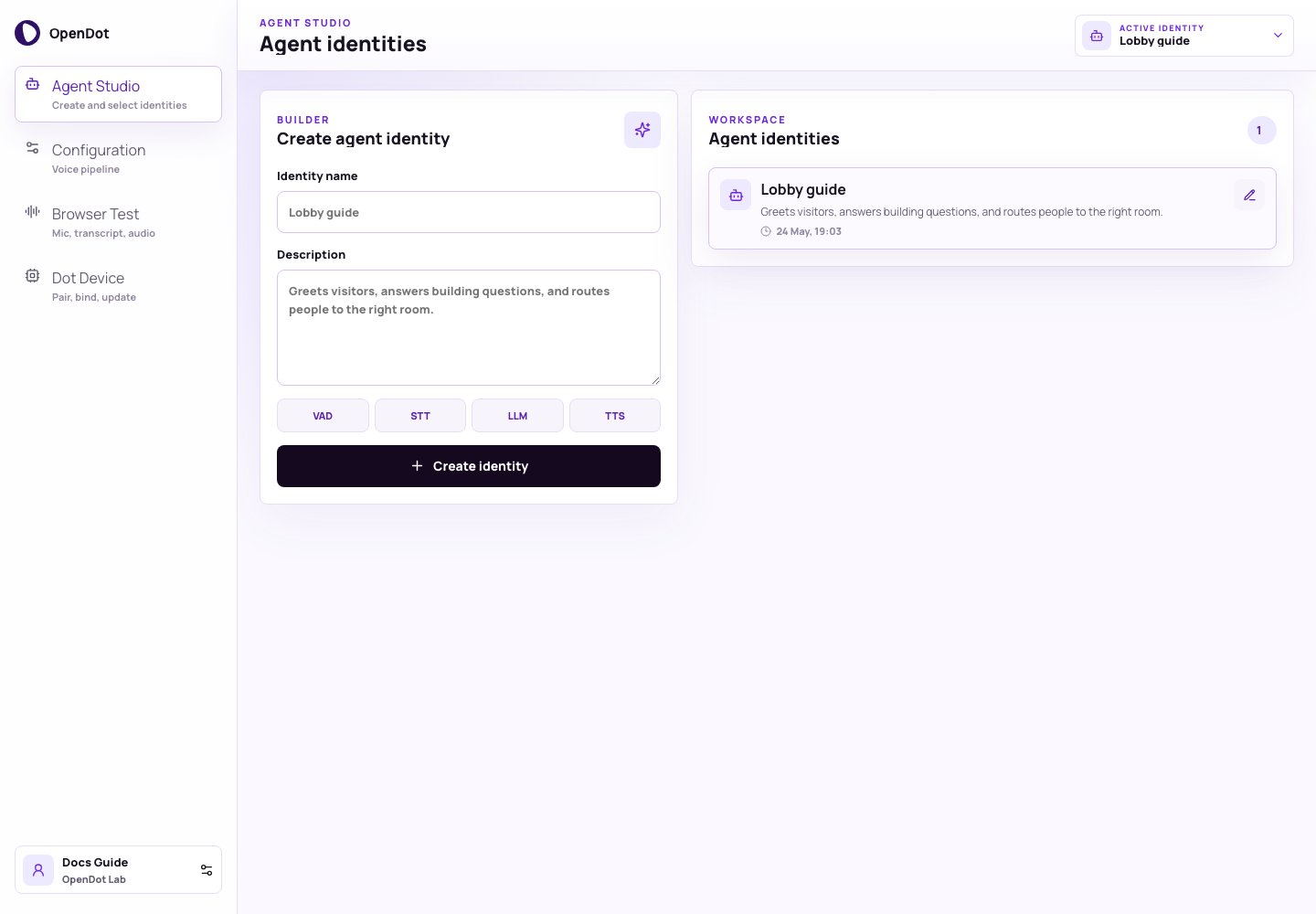
Agent Studio creates identities, edits saved identity copy, and keeps the active identity visible in the page header.
What you see in the UI
Agent Studio has two panels:- Create agent identity: creates a new identity with a name and description.
- Agent identities: lists persisted identities, switches the active identity, and opens inline editing.
Create agent identity
Each identity starts with:- Identity name: a short label such as
Lobby guide - Description: the job the agent should perform
Agent identities
Use the identity list to switch between saved identities. Each row shows the identity name, description, and last update time. Selecting a row changes:- which pipeline is edited in Configuration
- which identity the console uses when it asks the platform API for a runtime voice-session or realtime browser-session token in Browser Test
- which voice config can be bound to a device in Dot Device
Persistence model
The platform API persists each identity, selected architecture, realtime config, and default pipeline in PostgreSQL as:agentsagent_versionspipelinespipeline_versions
agent_versions.manifest_json, while
the explicit Sandwich stage settings remain in pipeline_versions.manifest_json.
The current prototype is still single-workspace, but the data model is already
shaped around durable agent and pipeline configuration rather than browser-only
state.
See Database inspection to inspect the stored rows and
Platform architecture for the full control-plane flow.