

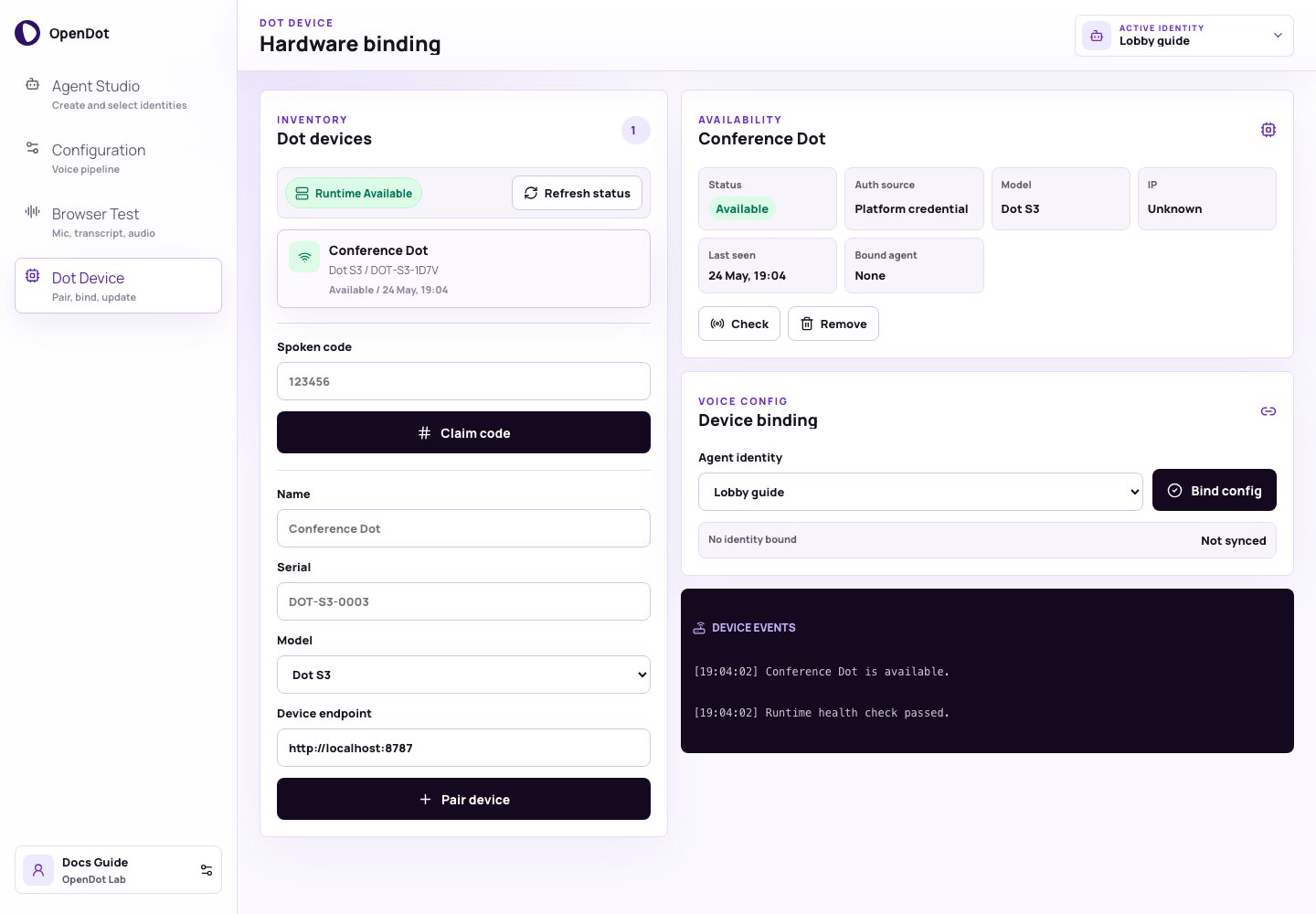
Dot Device keeps runtime status inside device inventory while the page header shows the active identity.
What you see in the UI
Dot Device has four main areas:- Inventory: lists paired devices, runtime status, spoken-code claim, and manual pairing.
- Availability: shows selected device status and metadata.
- Voice Config / Device events: binds an identity config and records device actions.
Runtime status
The Inventory panel checks the runtime health endpoint. By default it uses:VITE_RUNTIME_HTTP_URL or VITE_RUNTIME_WS_URL.
Click Refresh status to check runtime health and each paired device
endpoint.
Inventory
The inventory list shows each paired device name, model, serial number, availability, and last seen time. Selecting a device updates the Availability and Voice Config panels.Spoken-code pairing
For firmware devices, use spoken-code pairing from the Spoken code form:- Point the device OTA URL at the OpenDot runtime
/ota/endpoint. - Let the device speak the activation code.
- Enter that code in Spoken code and click Claim code.
Manual pairing
For manual experiments, add a device with:- Name
- Serial
- Model
- Device endpoint
demo://custom-dot is enough.
Availability
The Availability panel shows the selected device status, auth source, model, IP, last seen time, and bound identity. Use Check to probe only the selected device or Remove to delete it from the platform inventory. Availability values:- Available: runtime or endpoint responded.
- Offline: runtime or endpoint did not respond.
- Unknown: device has not been checked yet.
Voice Config
- Select a device.
- Select an agent identity in Voice Config.
- Click Bind config.
/ws turn path. Sandwich agents
use the explicit Deepgram VAD/STT, configured LLM, and TTS stages.
Speech-to-speech agents keep the same firmware protocol, but the runtime bridges
device Opus audio to OpenAI Realtime and streams Opus playback back to the
speaker.