

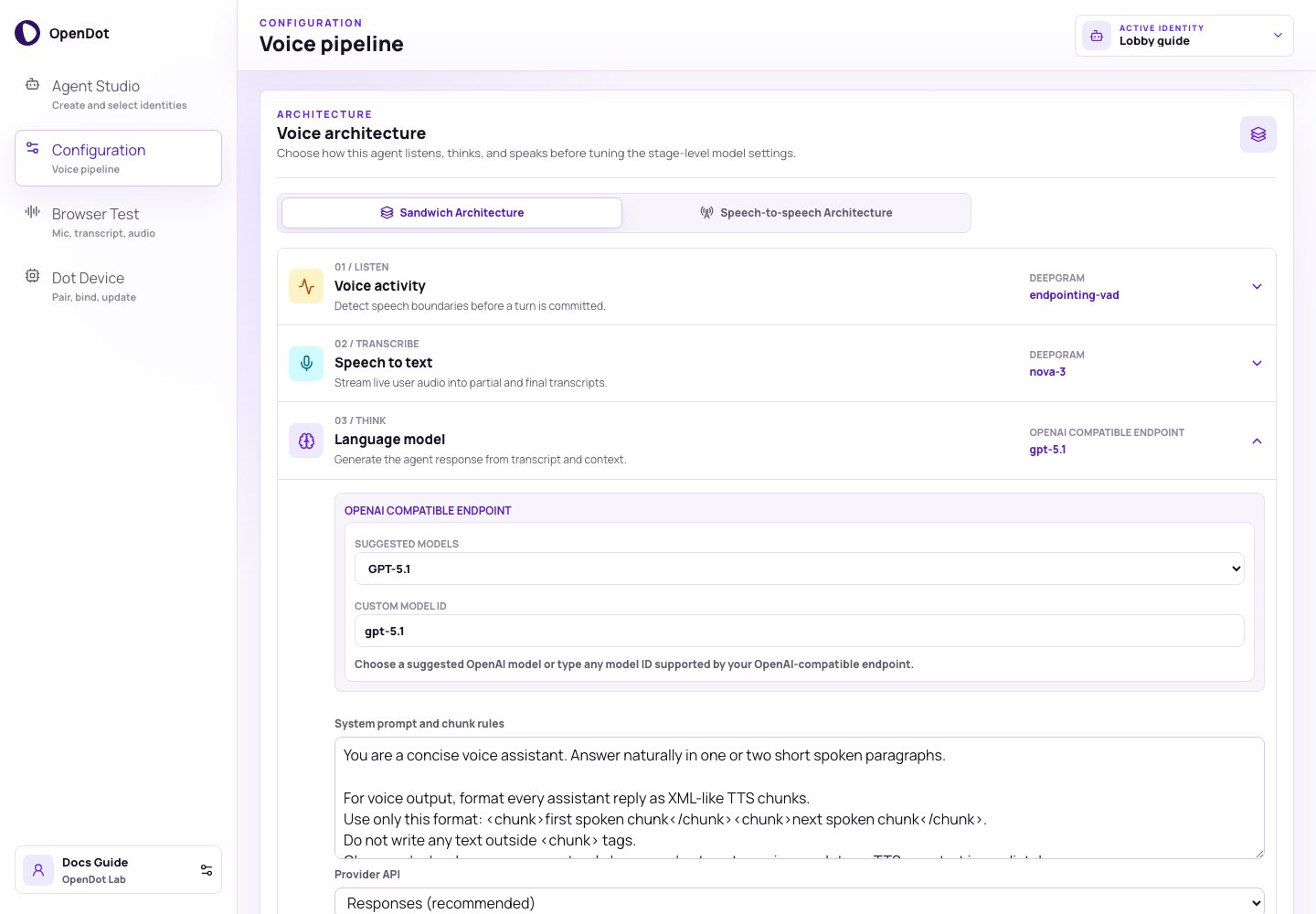
Configuration exposes voice architecture modes and compact stage settings.
What you see in the UI
The architecture selector has two modes:- Sandwich Architecture: the active VAD, STT, LLM, and TTS configuration.
- Speech-to-speech Architecture: OpenAI Realtime model, voice, instructions, reasoning effort, and turn-detection settings.
- stage number and icon
- listen, transcribe, think, or speak role
- provider and model preview
- dropdown settings
- emitted runtime events inside the expanded row
Stage 1: Voice activity
If turns close too early, increase Endpointing or Utterance end. If
tiny noises trigger turns, raise Noise floor.
Stage 2: Speech to text
The Browser Test panel shows interim and final transcripts from this stage.
Stage 3: Language model
The model control has two parts:
- Suggested models: current OpenAI model IDs such as
gpt-5-mini,gpt-5.1,gpt-5, and smaller GPT-5 / GPT-4.1 variants. - Custom model ID: any model string supported by the configured OpenAI-compatible endpoint.
https://api.openai.com/v1. Set it
to a compatible provider base such as https://example.com/v1 when the model is
served elsewhere. The runtime appends the selected Provider API path.
Use Responses (recommended) for the default OpenAI-compatible path. Use
Chat Completions when a provider only exposes the legacy-compatible chat
endpoint or when you need to test chat-specific compatibility.
The runtime expects assistant responses in XML-like chunks:
Speech-to-speech
Speech-to-speech keeps the existing agent identity but changes live audio transport for supported surfaces. Browser Test uses OpenAI Realtime over native browser WebRTC. Bound Dot devices keep the existing/ws firmware protocol and
let the runtime bridge Opus audio to OpenAI Realtime server-side.
gpt-realtime-mini is selectable for cheaper repeated testing. cedar and
the other realtime voices are selectable from the same settings surface.
Speech-to-speech Dot sessions use OPENAI_API_KEY inside the runtime and do
not require Deepgram for the live turn.
Stage 4: Text to speech
Use
Linear16 PCM with Direct PCM stream when you want raw PCM playback in
the browser. Other encodings are retained as chunked audio files for playback.