

app_users and user_preferences so Supabase Auth can provide identity without owning OpenDot product data.
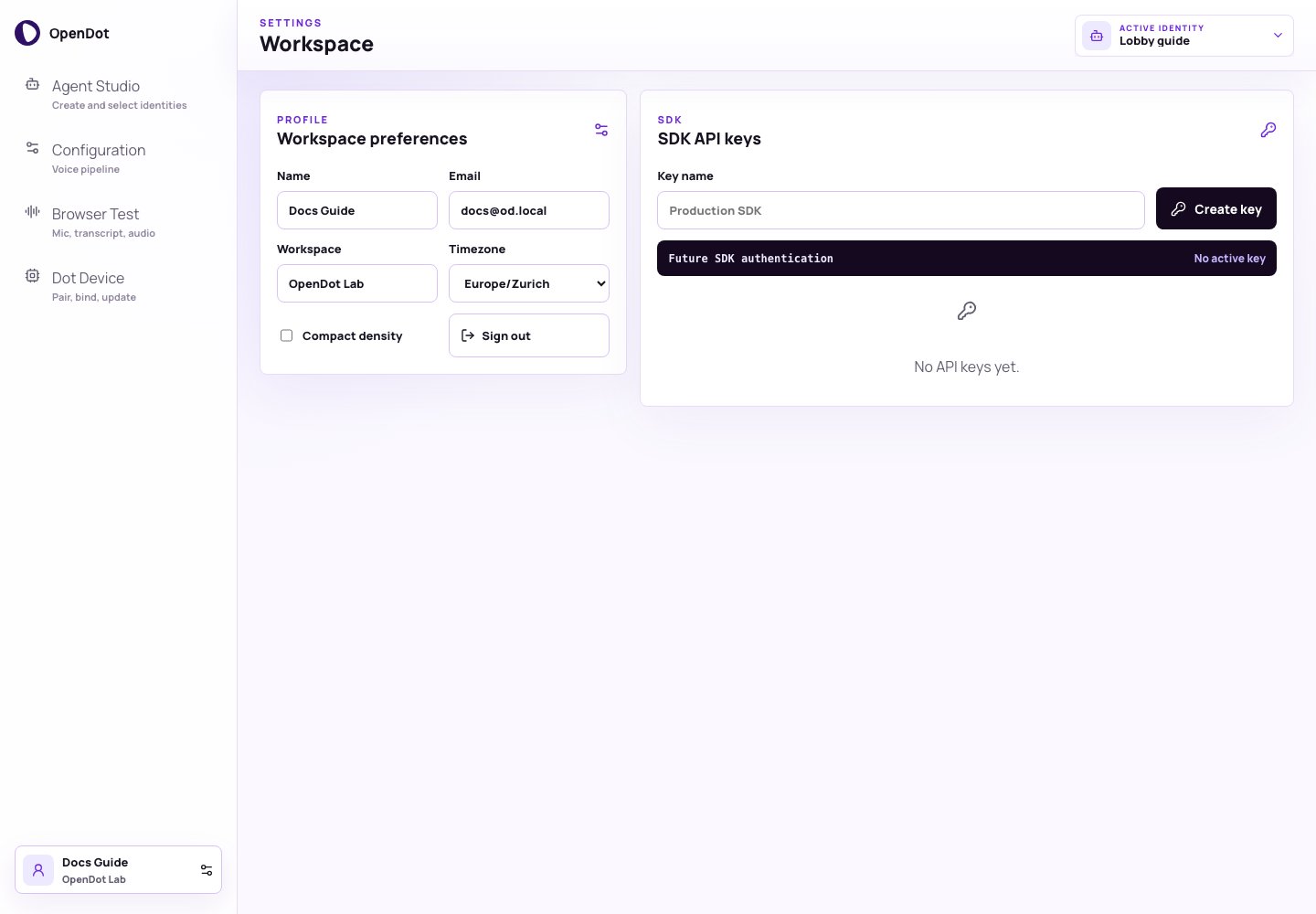
Settings keeps workspace preferences and prototype SDK keys separate from runtime, device credentials, and the active identity selector.
What you see in the UI
Settings has two panels:- Workspace preferences: user profile and console density.
- SDK API keys: prototype keys for future external SDK/API access.
Workspace preferences
The profile panel stores:- Name
- Workspace
- Timezone
- Compact density
API keys
Use SDK API keys to create and revoke local prototype keys for future external SDK/API access. These keys are not used for browser/voice sessions or device pairing.
The current prototype stores user-scoped API key hashes and metadata in PostgreSQL. The full token is only shown when a key is created. Runtime browser sessions use short-lived voice-session or realtime browser-session tokens, and Dot devices use separate opaque device credentials.
Copy and revoke
Each key row supports:- Copy: copies the full token to the clipboard.
- Revoke: marks the key as revoked and disables copy.