

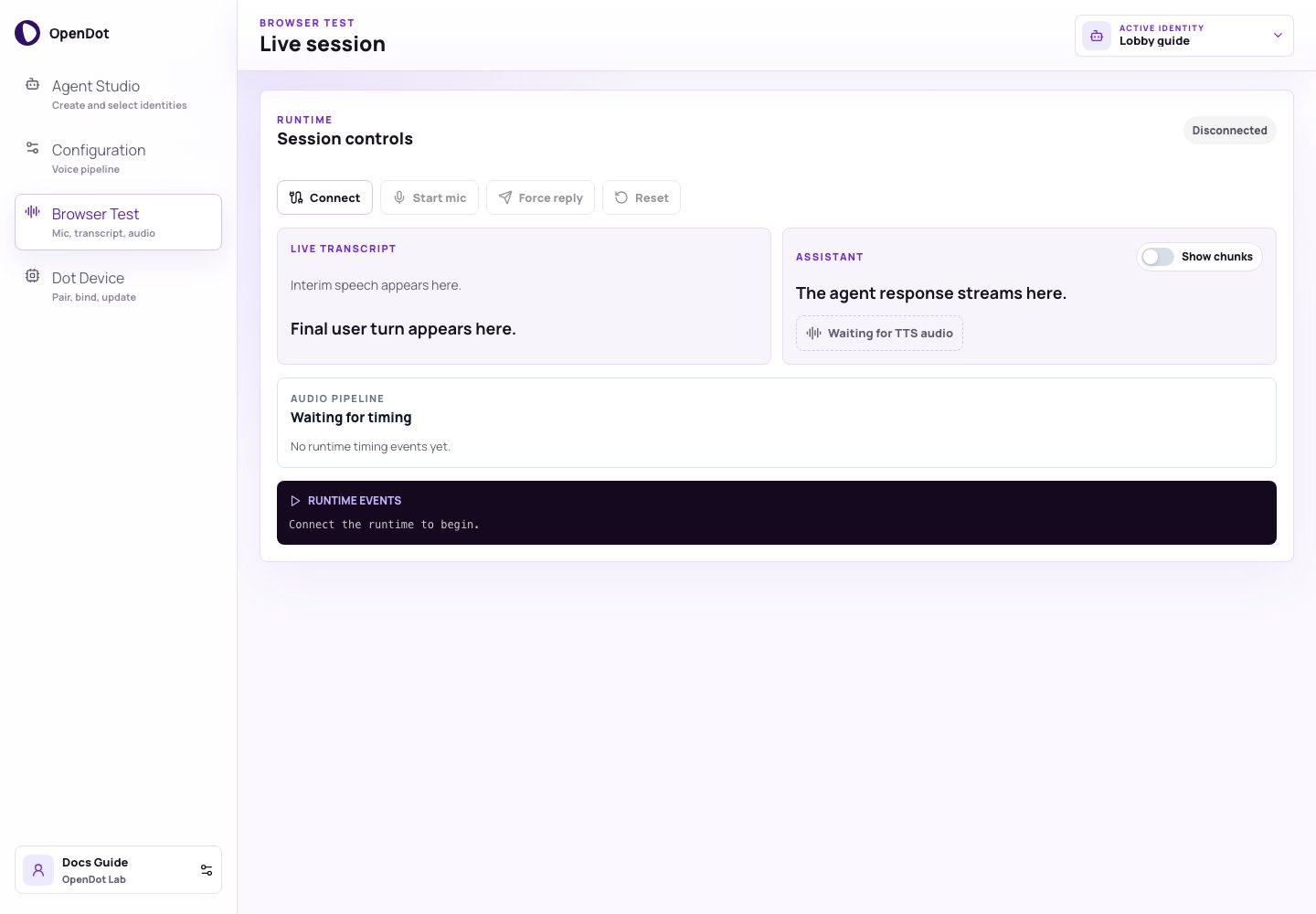
Browser Test uses the active identity from the page header, then follows the saved Sandwich or Speech-to-speech architecture.
What you see in the UI
For Sandwich agents, Browser Test has four main areas:- Run this agent: connection and microphone controls.
- Live transcript / Assistant: text and audio for the latest turn.
- Audio pipeline: timing spans for STT, LLM, and TTS work.
- Runtime events: connection, VAD, transcript, assistant, and error logs.
Before you connect
Make sure the platform API, web console, and voice runtime are running:.env. Leave POSTGRES_URI empty for local defaults, and add provider keys there before testing live audio. The Docker Compose stack wires the local service hostnames for you.
Run this agent
- Select an identity in Agent Studio or the page header.
- Review its architecture and pipeline in Configuration.
- Open Browser Test.
- Click Connect to open an authenticated runtime WebSocket.
- Click Start mic.
- Speak naturally.
- Click Stop mic and wait for VAD/STT to close the turn.
Live transcript and assistant output
The transcript card shows:- interim speech from the STT stream
- final user turn text after speech finalization
- clean assistant text
- optional XML-like response chunks
- generated TTS chunks and replay controls
- current audio playback or PCM stream status
<chunk> output to
the generated audio chunks, which makes TTS timing and chunk quality easier to
debug.
Audio pipeline timeline
The timeline groups runtime spans into speech input, LLM, and speech output. It helps answer whether a slow turn came from STT finalization, LLM generation, TTS, or browser playback.Runtime event log
The runtime log captures connection state, Deepgram readiness, VAD events, final transcripts, assistant text, generated audio chunks, resets, and errors. Keep this log in bug reports when voice behavior changes.Runtime authorization
Before the socket opens, the console asks the platform API for a short-lived voice-session token for the active identity. The runtime verifies that token with the platform API and loads the authorized identity config from the API. If you edit or switch identities while connected, the browser reconnects with a newly minted token. Speech-to-speech Browser Test uses a separate realtime browser-session token fromPOST /api/runtime/realtime-browser-sessions. The browser sends that
one-use token to the runtime at /realtime/client-secret; the runtime verifies
it with the platform API, creates an OpenAI Realtime client secret using its own
OPENAI_API_KEY, and returns only the ephemeral client secret to the browser.
The runtime WebSocket defaults to:
Common checks
- If the page does not load agent data, confirm
pnpm run apiis still running and Postgres is reachable. - If Connect fails, confirm
pnpm run api,pnpm run runtime, andOPENDOT_RUNTIME_INTERNAL_SECRETare aligned. - If the mic does not start, check browser microphone permissions.
- If text appears but audio does not play, review the TTS encoding and browser delivery settings.
- If turns close too quickly, tune VAD endpointing in Configuration.
- If Speech-to-speech connect fails, confirm
OPENAI_API_KEYis set on the runtime andOPENDOT_RUNTIME_PUBLIC_HTTP_URLpoints to it.